AI-powered SaaS platform (NDA)
Client
NDA
Type
Enterprise SaaS / AI
Role
Product Designer
Tools
Figma, Jira




Overview
PM AI is an enterprise-grade AI platform that acts as an intelligent product manager — automating requirements generation, tracking product artifacts, managing versioning, and surfacing compliance gaps across the full product development lifecycle.
I joined when the product existed as a raw concept with no visual identity, no design system, and an interface that felt closer to a spreadsheet than a real product. Over 8 months, I took the product from that state to a coherent, enterprise-ready experience — covering branding, design system, and UX across every major flow.
The Problem
The product had real technical depth but zero design credibility. Interfaces were inconsistent, navigation was unclear, and the overall experience undermined trust in an enterprise context. There was no component library, no visual language, and no information architecture that could support the product's complexity.
To sell to CPOs, CTOs, and compliance teams at large organizations, the product needed to look and feel like it belonged in that world. It didn't.
My Role
Solo product designer. Full ownership from visual identity to interaction design — branding, design system migration, information architecture, and UX across all core flows.
Branding
Before touching screens, I established the visual foundation: color palette, typographic system, and a brand language positioned to communicate technical authority and enterprise trust. Clean, structured, authoritative — designed to earn credibility with decision-makers at first glance.

Design System
Migrated the entire product to a structured system based on Untitled UI — scalable component library, consistent spacing, clear visual hierarchy across 30+ screens. Without this foundation, every new screen would have been built from scratch with no consistency. With it, the product could scale.

Key Flows
Authentication
Sign In, Sign Up, and Account Creation — clean onboarding aligned with the new brand identity.
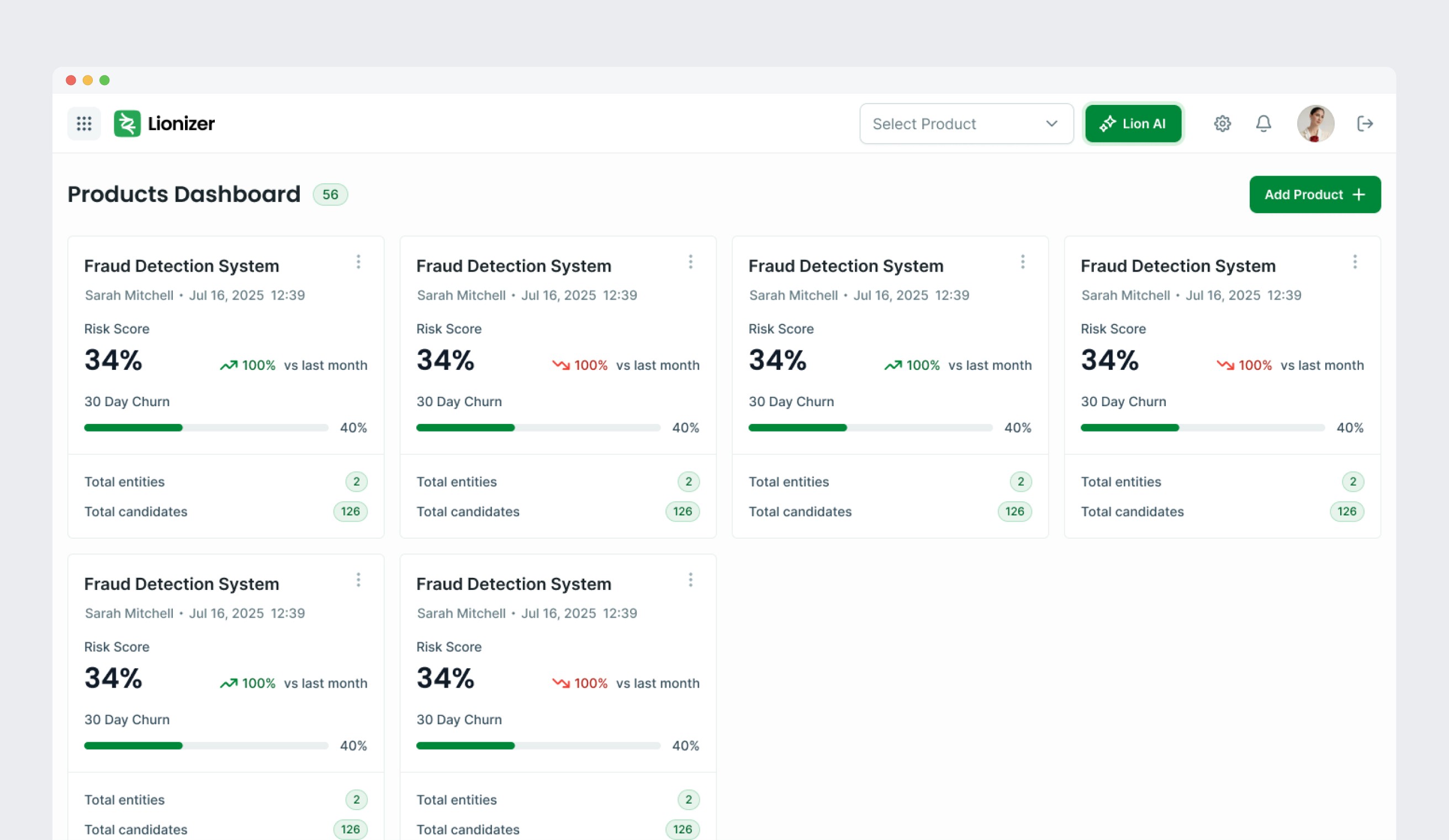
Home Dashboard
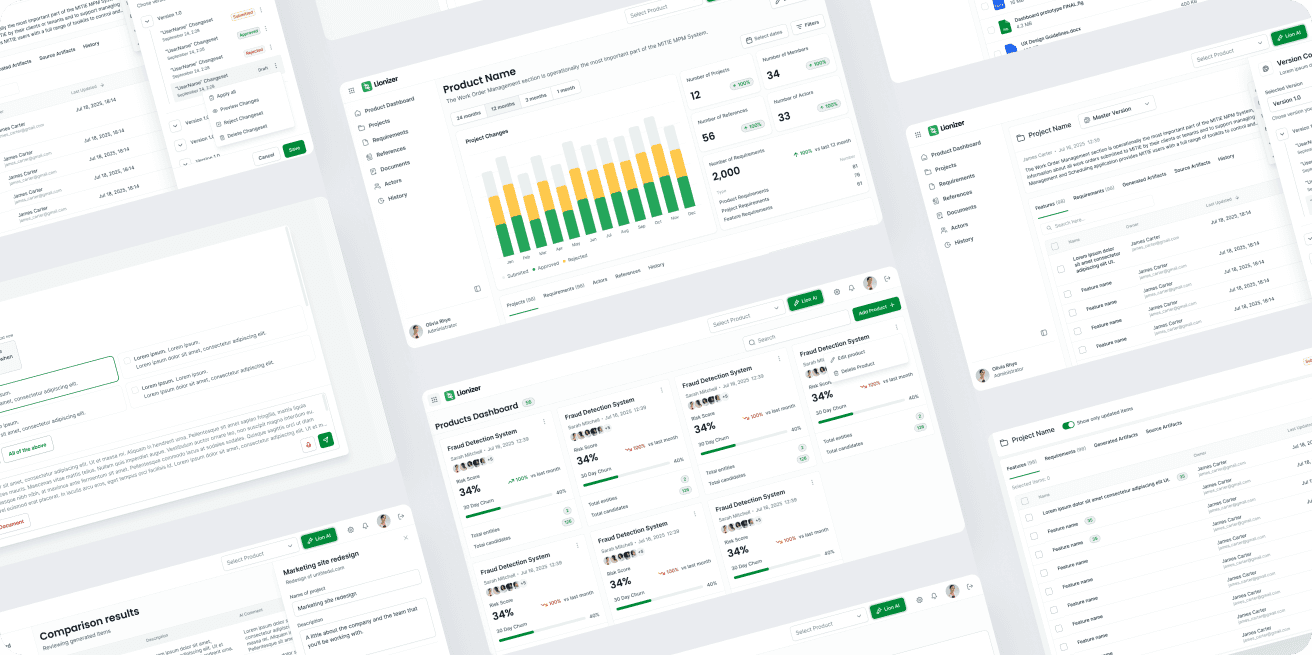
Products list view, the main hub after login and entry point to the entire product hierarchy.
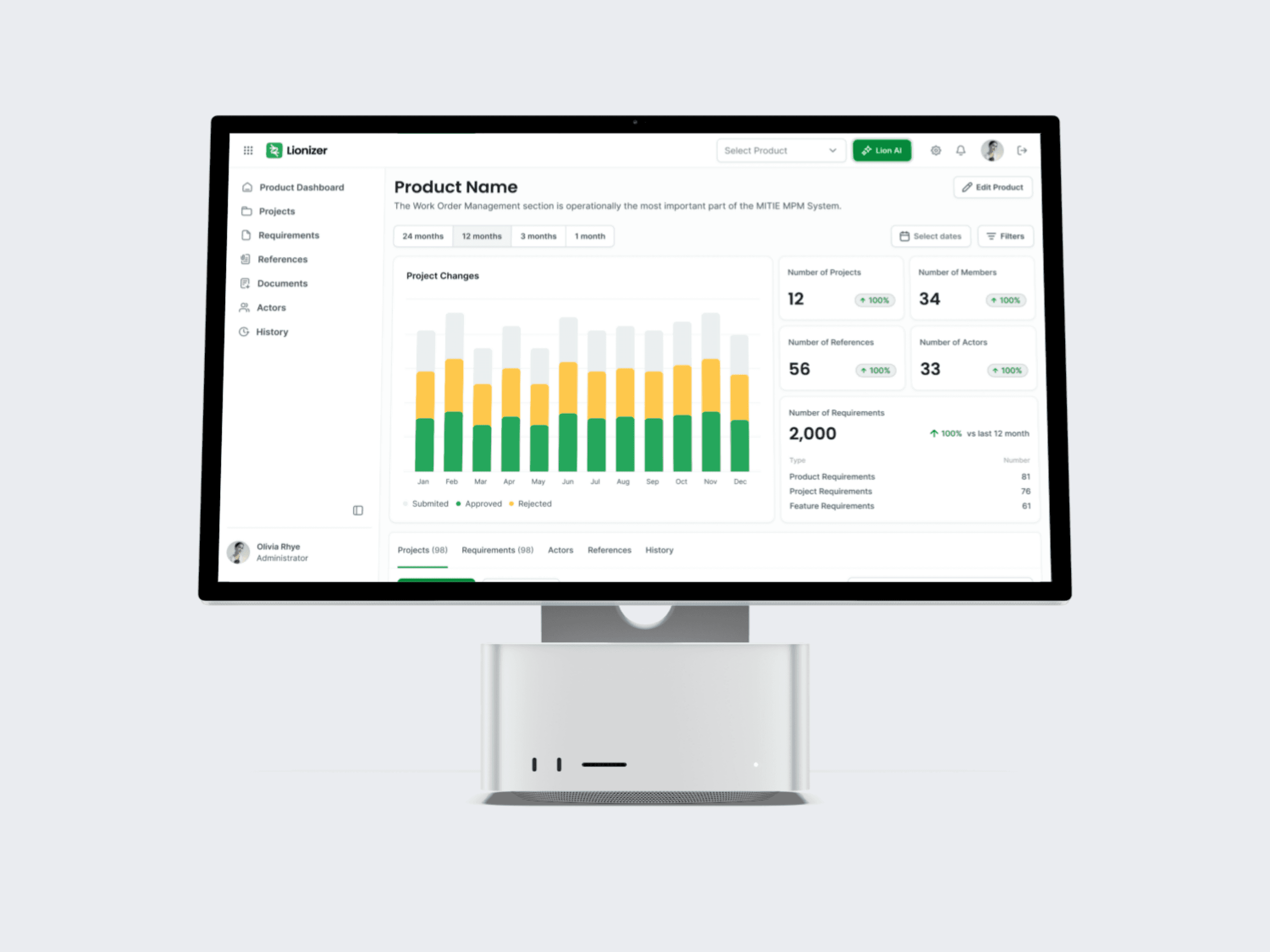
Product Dashboard
Per-product overview with key metrics: Projects, Members, References, Actors, and Requirements. Surfaces recent activity and changes across the product.
Projects & Requirements
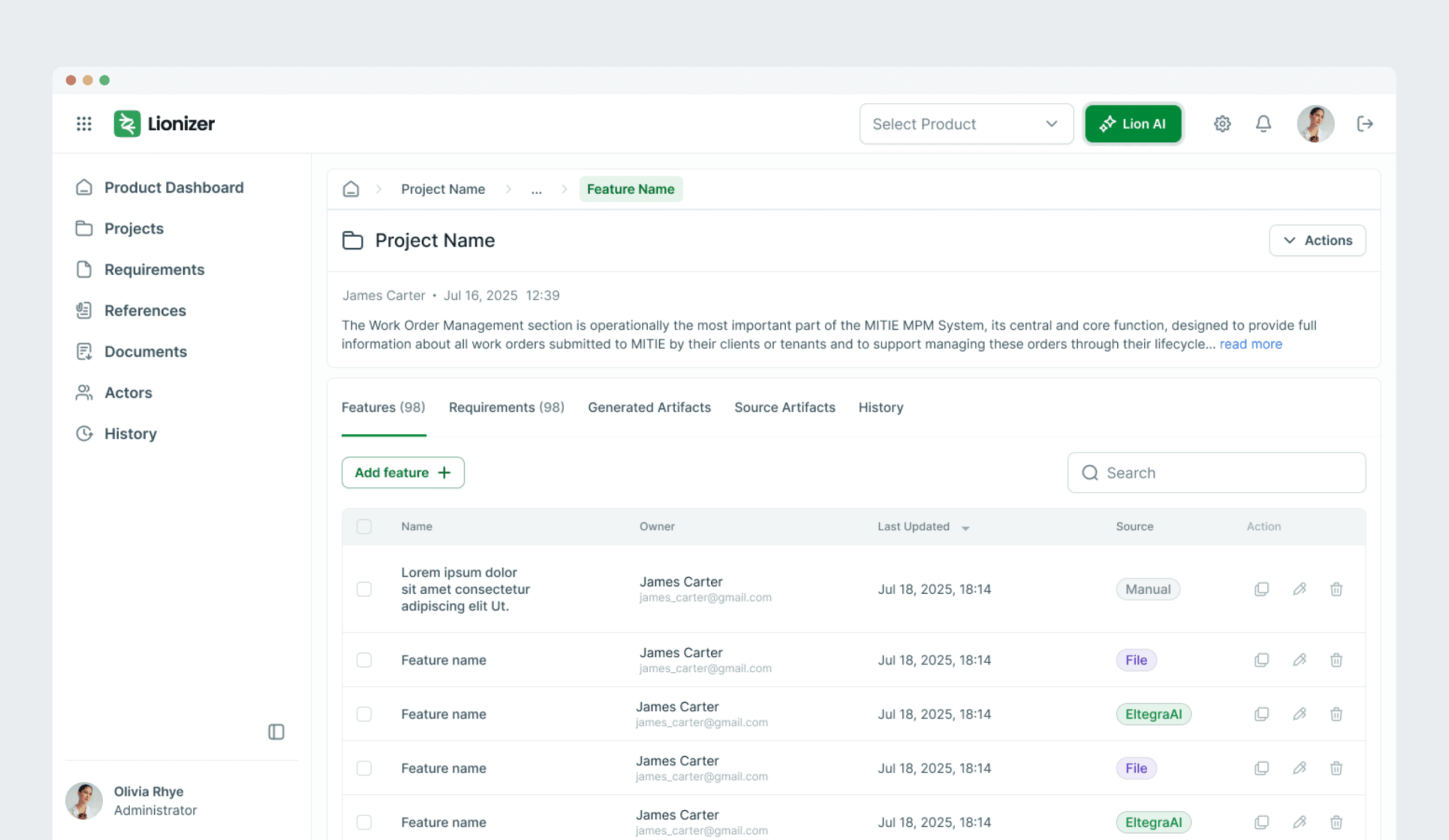
The core of the product. Users navigate from products into projects, then into requirements — nested tables that drill into each other. I redesigned the information architecture to make this hierarchy legible and navigable at every level.
Sidebar Editor
Contextual sidebar for inline editing of features, requirements, and actors — keeping users in flow without full-page context switches.
Versioning Flow
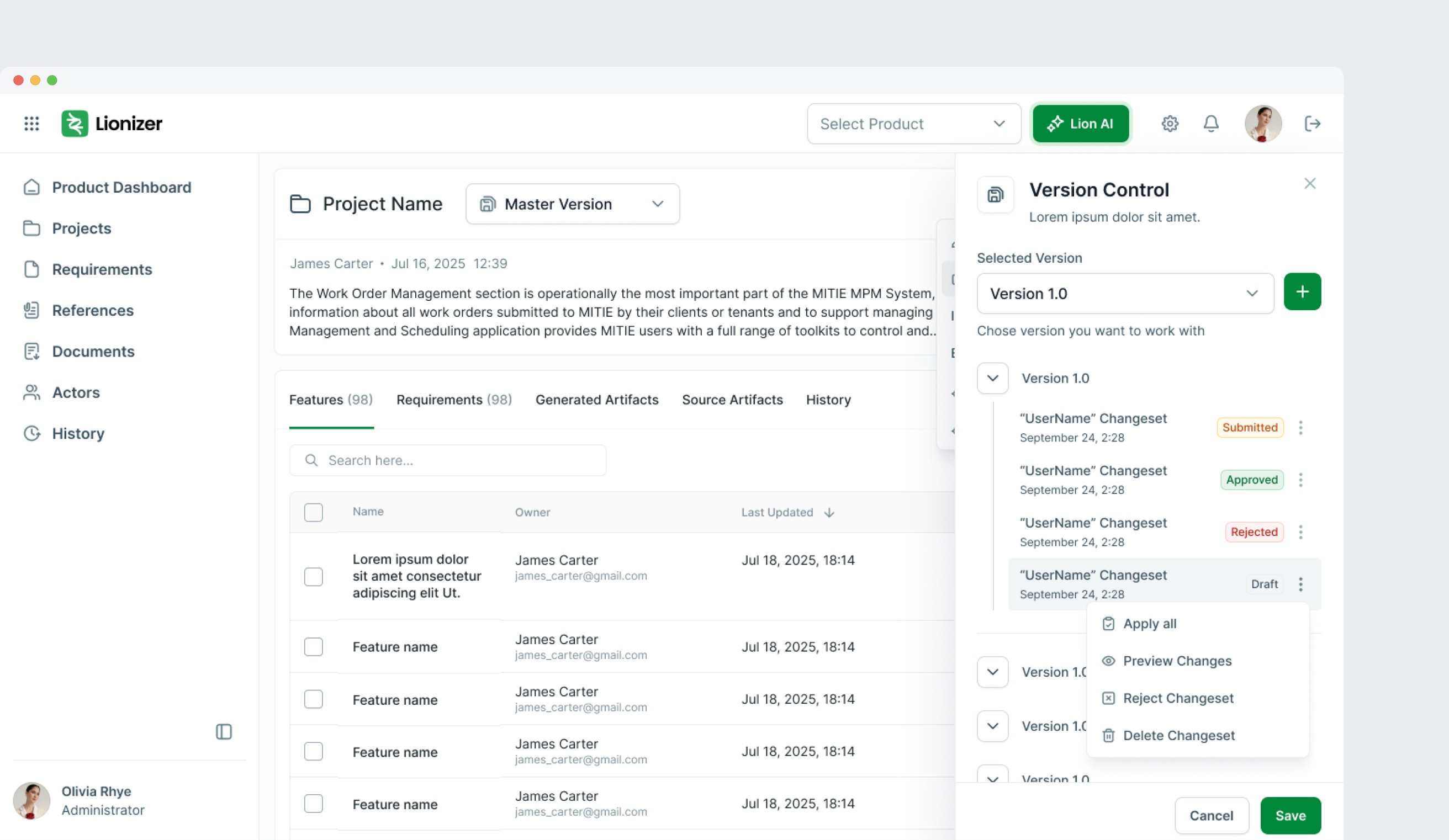
How users create, compare, and manage versions of requirements and product artifacts. A critical product mechanic that required careful UX logic.
Import from PDF
Ingesting existing documentation directly into the platform, mapping content to the product's data model.
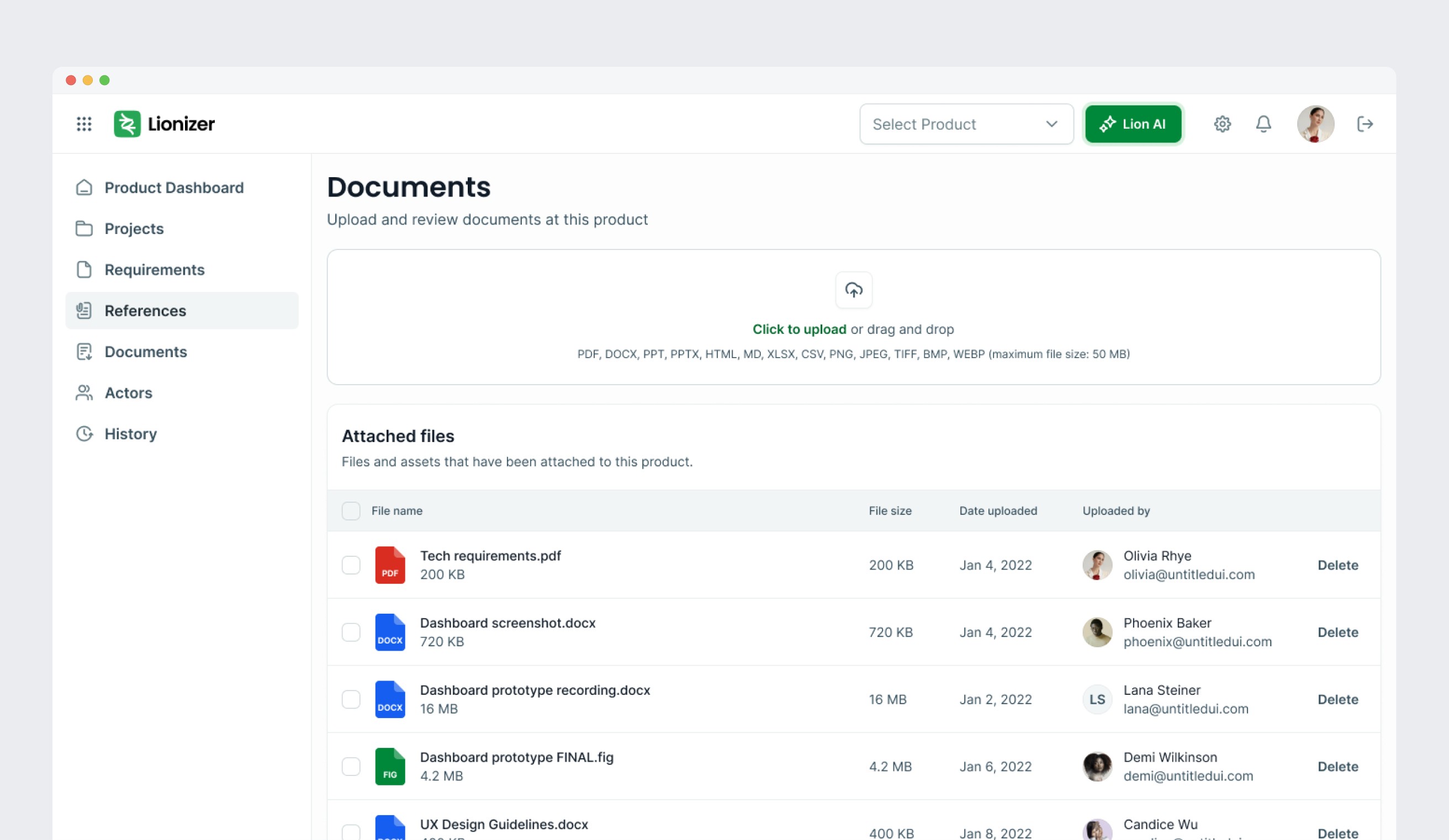
Compare to References
Validating requirements against reference documents and standards — one of the product's key differentiators for compliance-heavy industries.


AI Concept (in progress)
As the product matures, I'm designing a shift toward a stronger AI-first experience — moving from form-based inputs toward AI-driven interfaces with tighter integration of insights and context-aware interactions. This part of the case study will be updated as the work develops.

Outcome
Over 8 months, the product moved from an unusable raw concept to a coherent platform with a credible visual identity, scalable design system, and complete UX coverage across all major user journeys. The team has since exited the concept stage and is now actively marketing and selling to enterprise clients — and the design is a direct part of how they earn credibility in those conversations.
30+
Screens designed
2x
faster delivery after DS rollout
8
Core flows
4
User roles covered