A purpose-built internal tool that replaced scattered workflows with one coherent operating system for a consulting firm.
Client
Pygio
Type
Internal B2B tool / Consulting operations
Role
Solo Product Designer
Tools
Figma, Jira
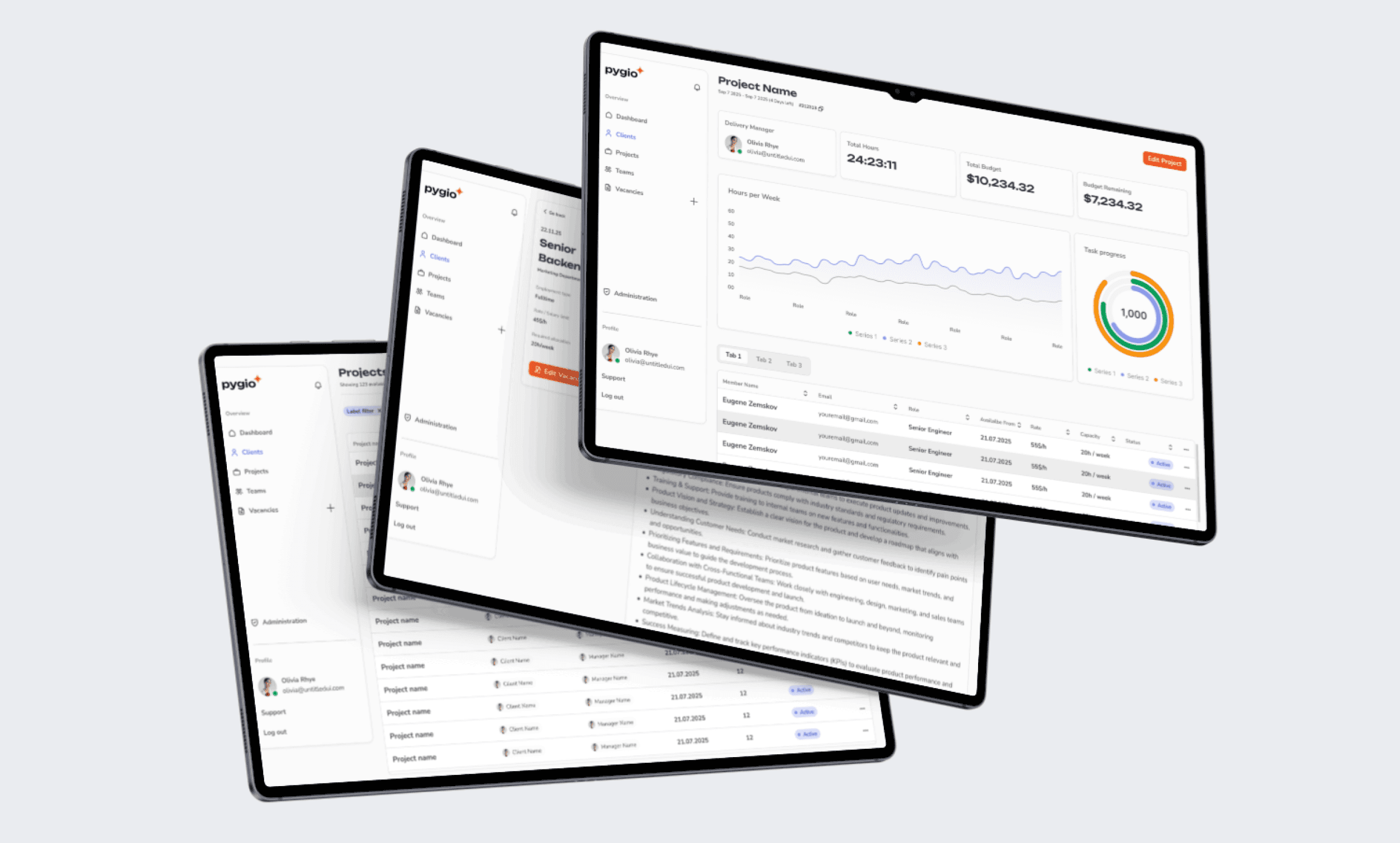


Background
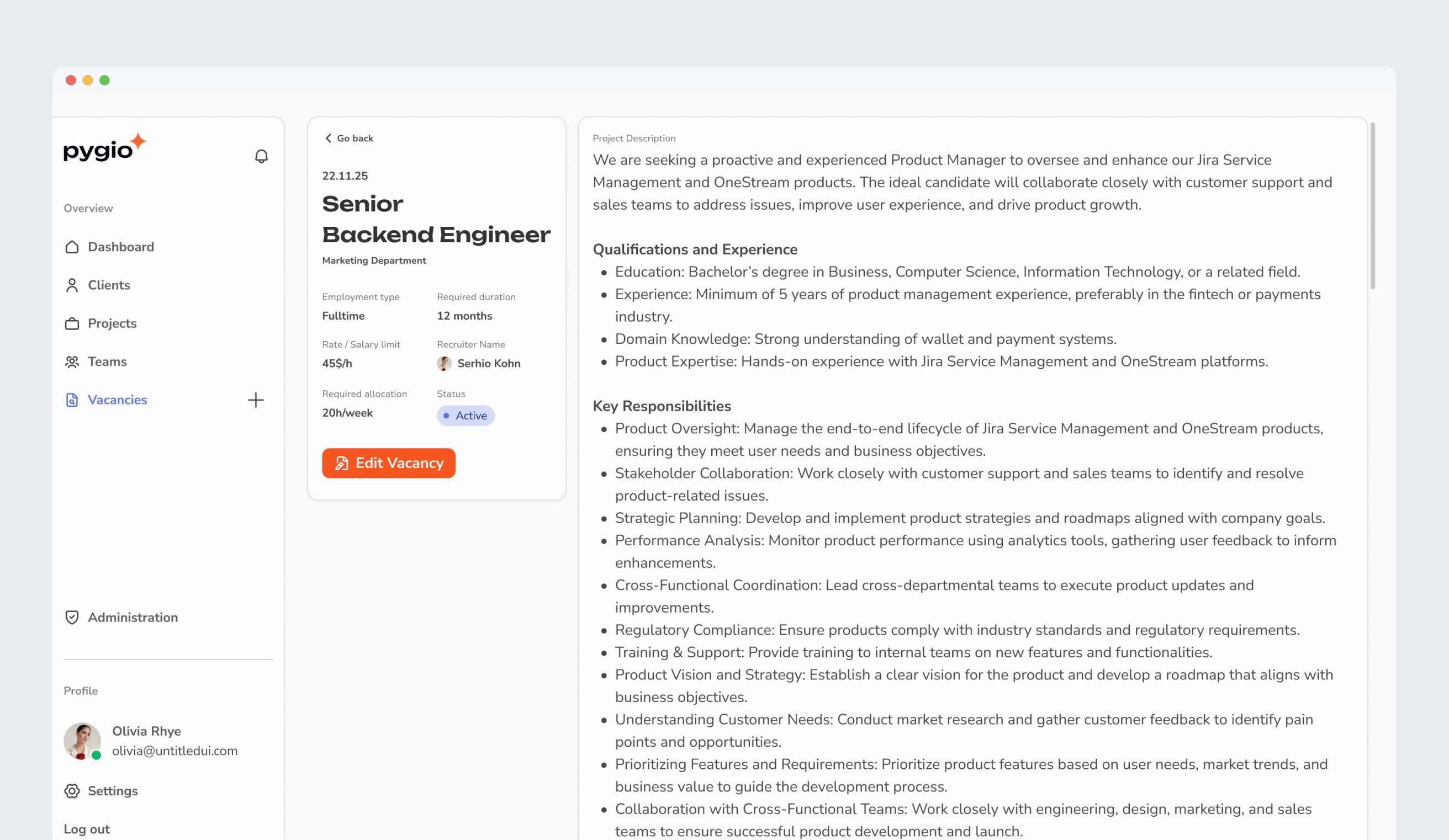
Pygio is a consulting firm managing multiple client engagements simultaneously — tracking active projects, open vacancies, available specialists, and client relationships. Before this product existed, all of that lived across disconnected tools: spreadsheets, chats, manual updates. There was no single place to see what was happening across the business.
The product manager scoped the requirements in Jira. I came in as the sole designer — with nothing but a text brief — and took the product from zero to a shipped, production-ready interface.
The Challenge
No design existed. No visual language, no component library, no information architecture. Just a list of requirements describing what the tool needed to do.
The challenge wasn't just making it look good — it was making it feel logical. A consulting console touches multiple domains at once: clients, projects, people, vacancies, users. Without clear structure, it becomes an unusable mess. The goal was to turn a Jira backlog into something a team could actually open every morning and rely on.
My Role
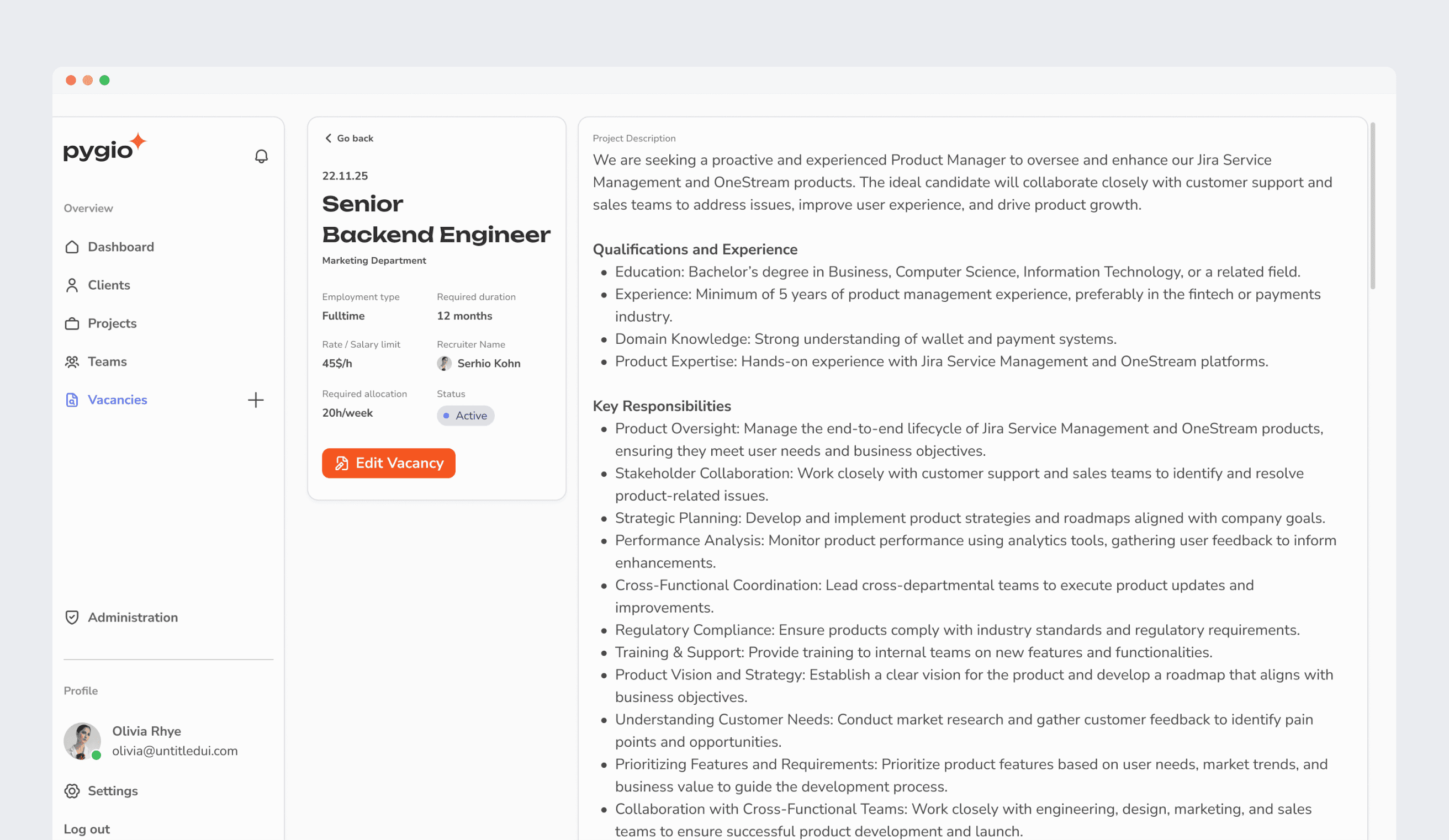
I owned the design end-to-end as the only designer on the project, collaborating directly with the PM and stakeholders throughout. There was no design handoff to build on — every decision, from visual language to navigation logic, was mine to make and defend.
Process
Discovery & Alignment
I started by thoroughly reviewing the Jira requirements and aligning with the PM on scope, priorities, and edge cases before opening Figma. Getting this right early saved significant rework later.
Design System First
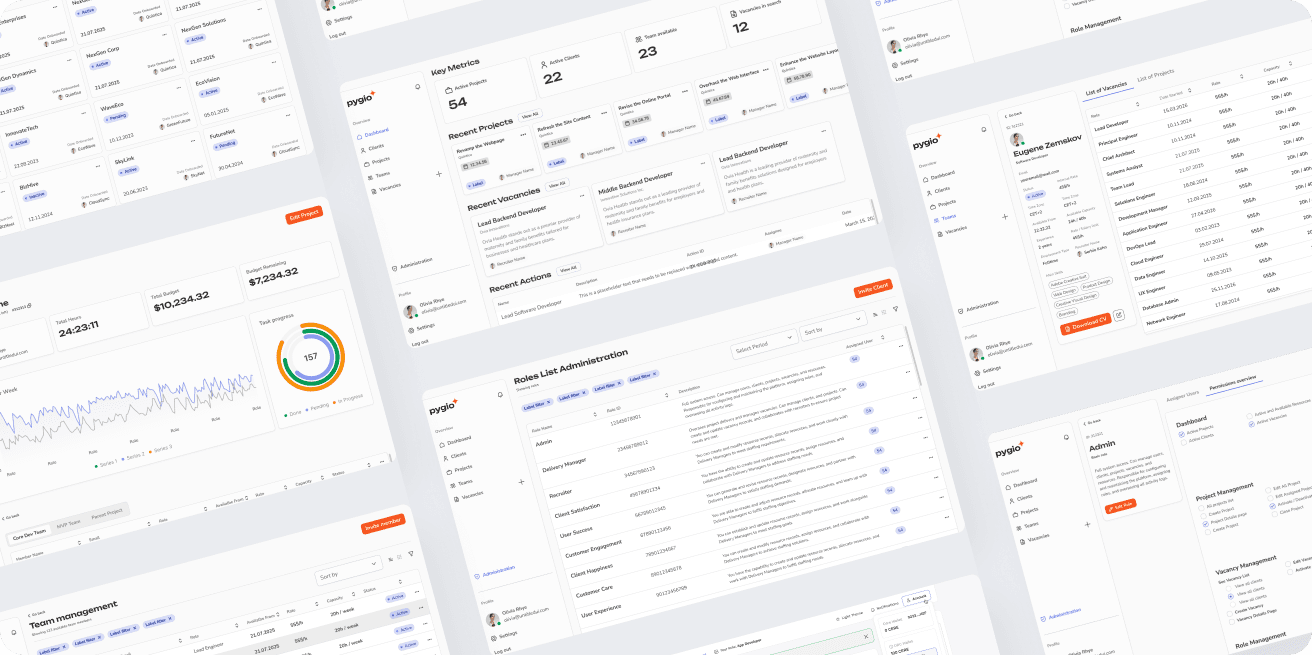
Before designing a single screen, I built a custom design system — components, color, typography, spacing tokens. This wasn't overhead; it was the foundation that made everything consistent and allowed me to move fast across 7 distinct sections of the product.
Concept → Approval → Final Design
I designed the dashboard concept first, presented it to stakeholders, and got alignment before moving into final screens. This two-phase approach — concept approval, then final design — kept the process efficient and avoided late-stage changes.
Key Design Decisions
Navigation architecture
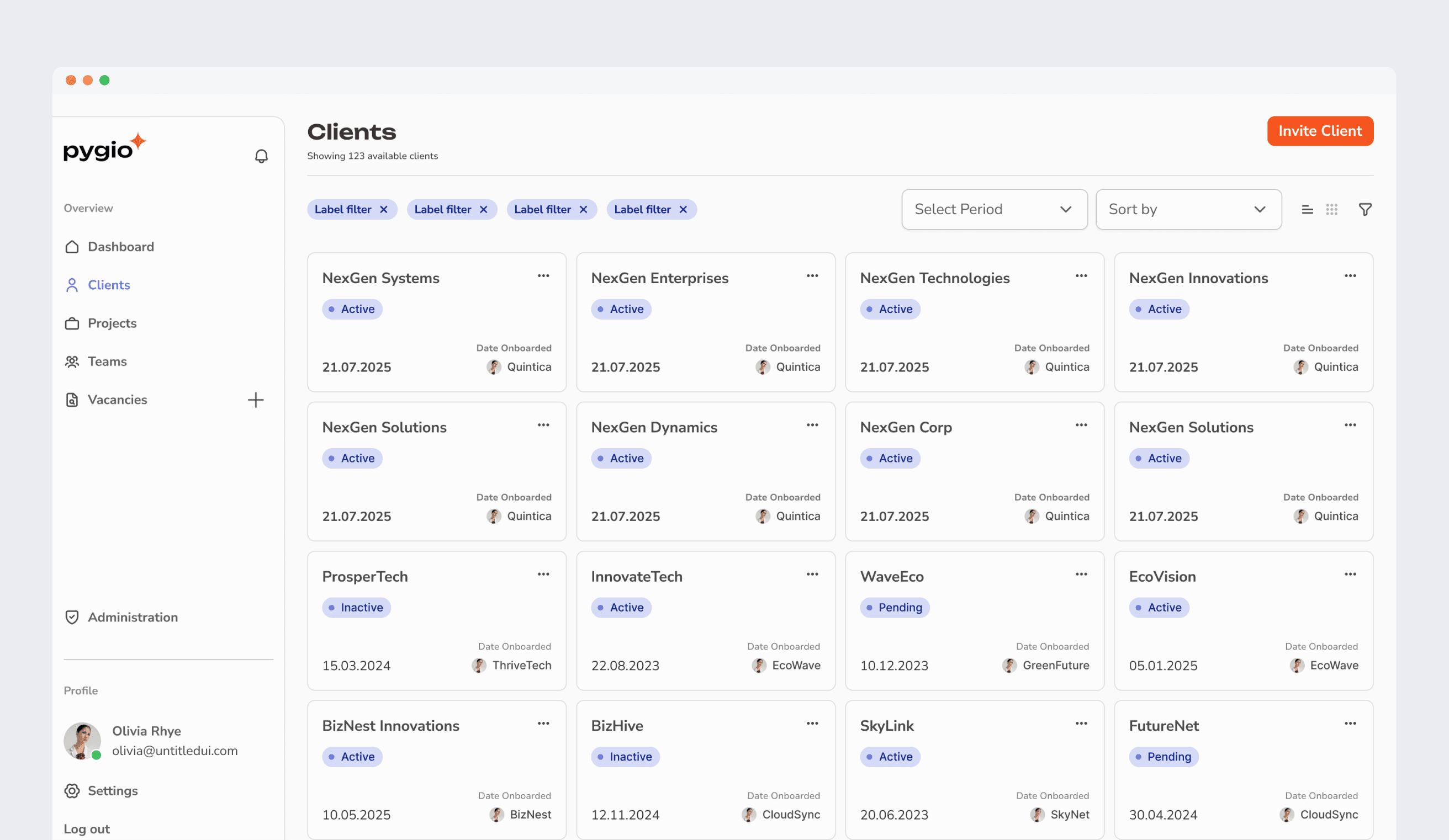
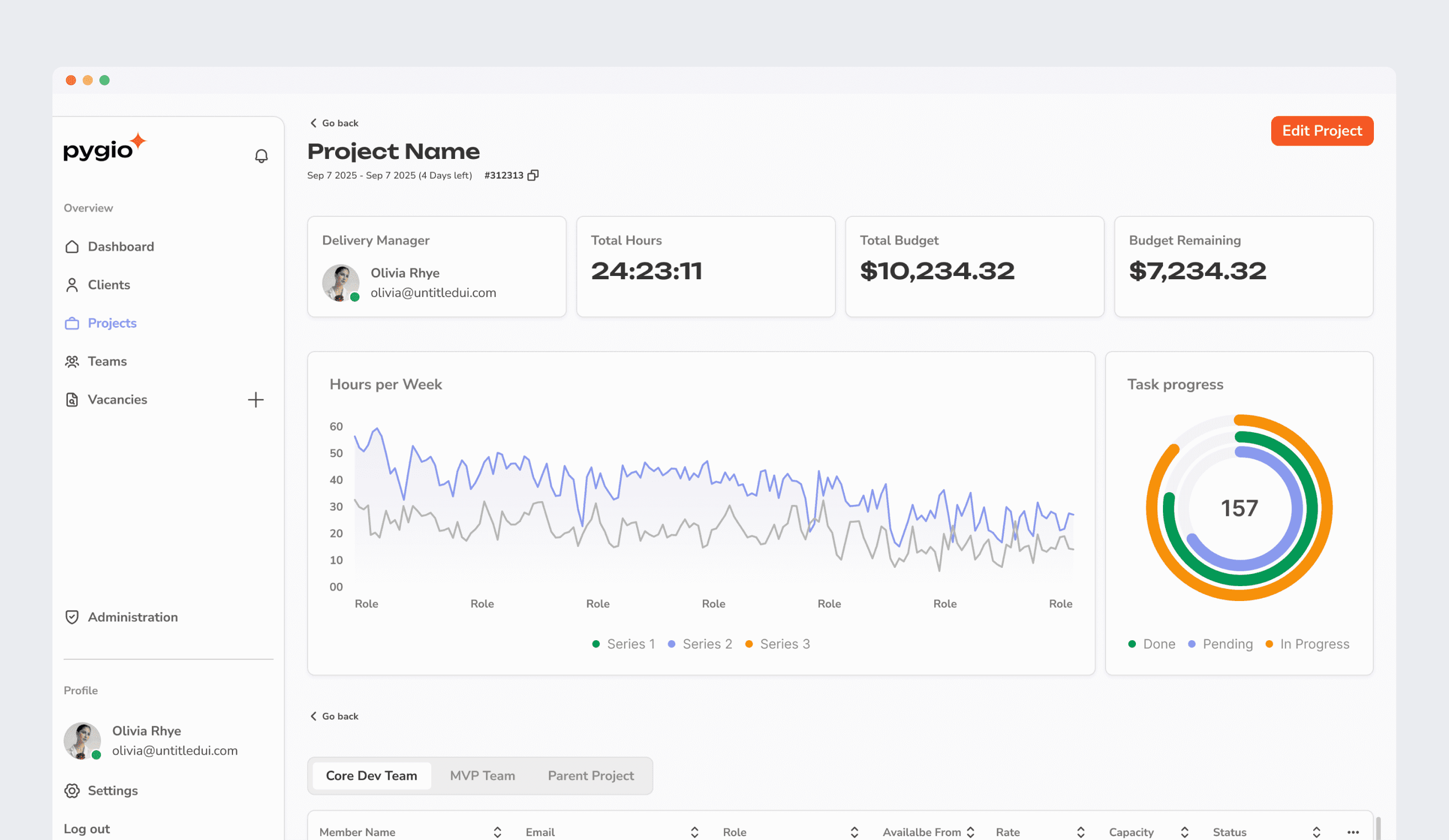
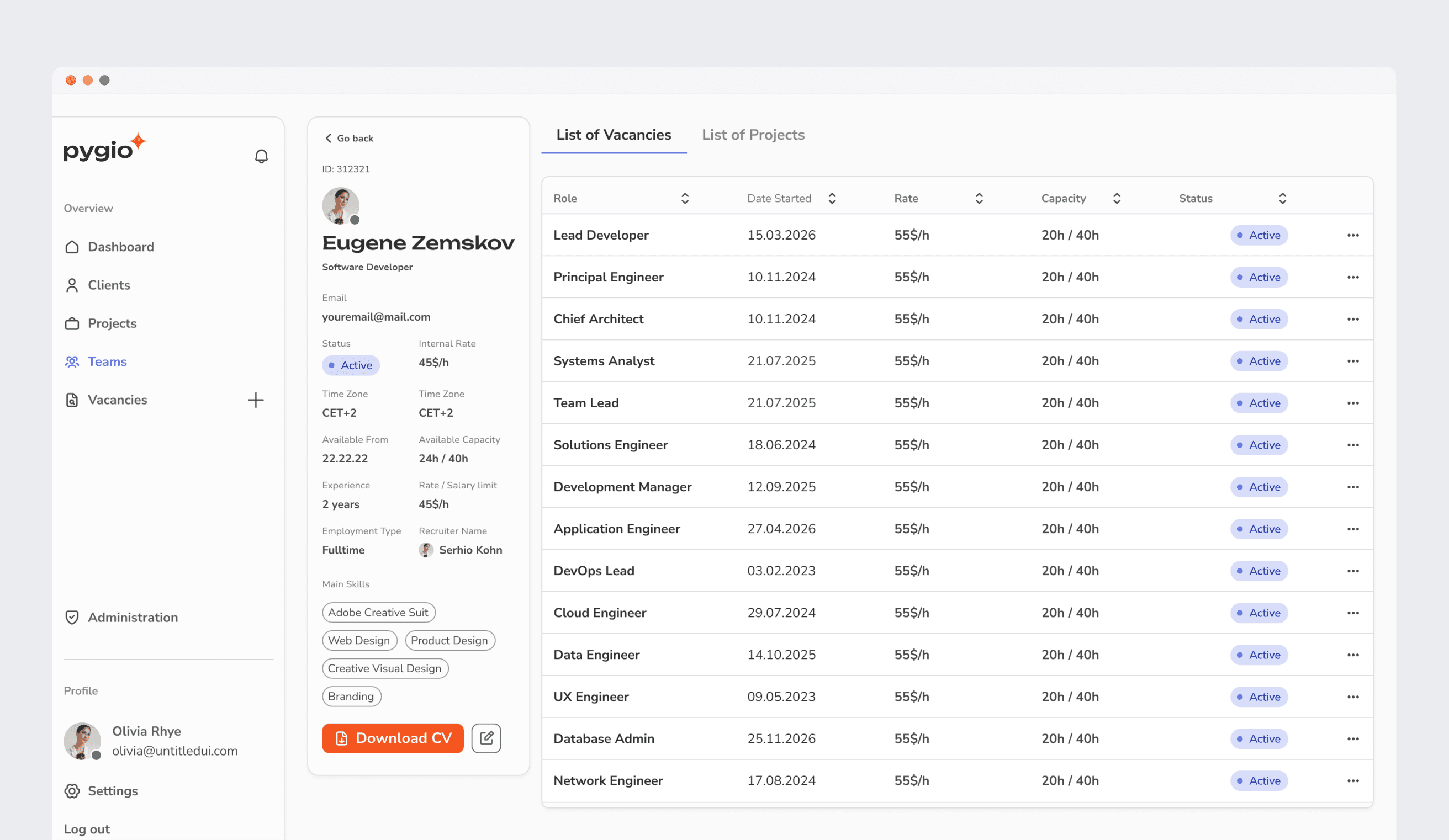
With 7 sections and multiple nested views per section, navigation needed to be immediately clear. I designed a sidebar structure with logical grouping that lets users jump between clients, projects, resources, and vacancies without losing context.
Dashboard as command center
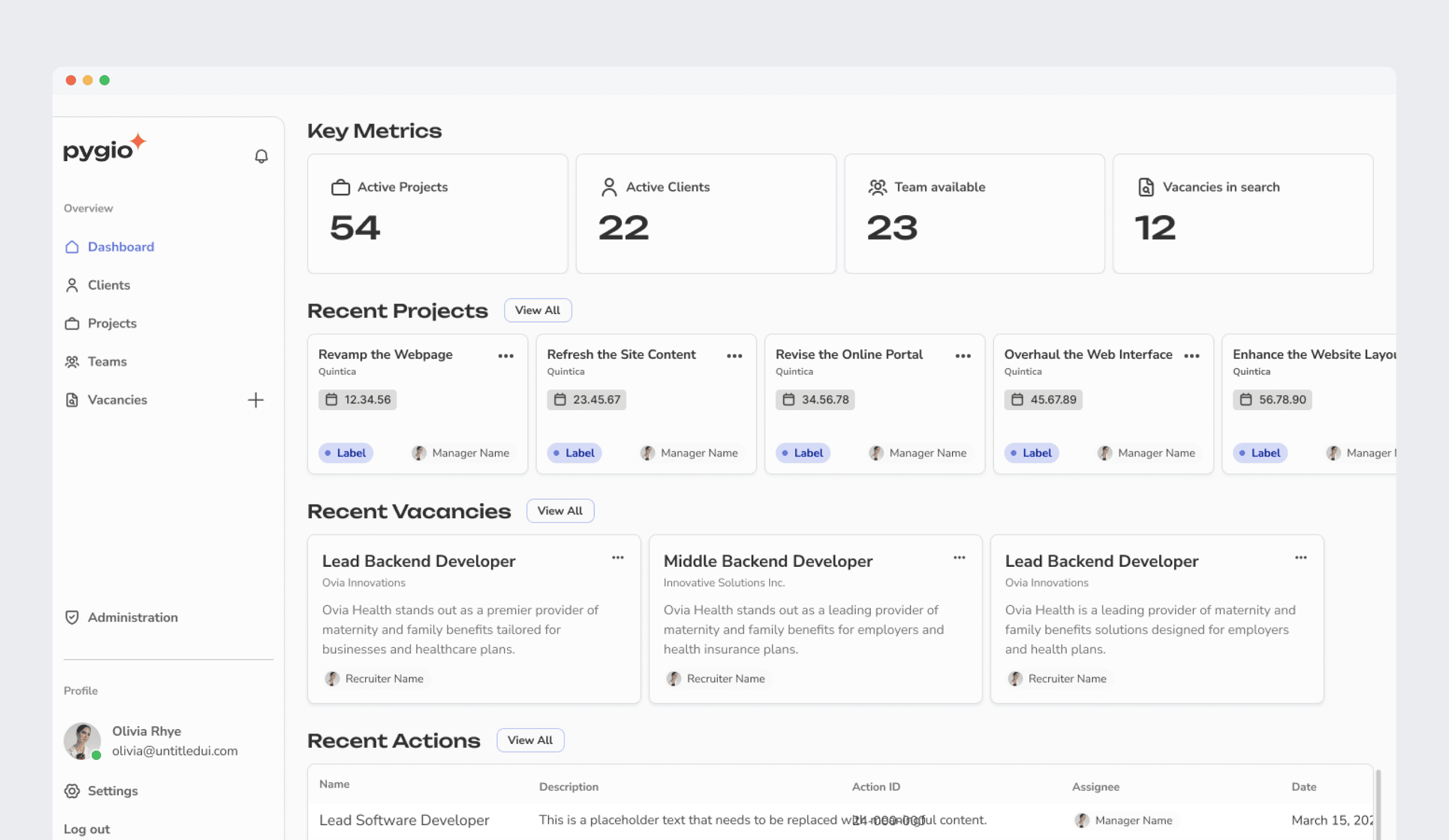
The dashboard needed to answer one question instantly: what's the state of the business right now? I structured it around the four metrics that matter most operationally — Active Projects, Active Clients, Vacancies in Search, and Available Resources — with secondary indicators for trend awareness (New Projects, New Vacancies, Previous Projects).
Visual language
I established the full visual identity of the product: color system, typography scale, iconography approach, and component behavior. The aesthetic direction was clean and functional — built for daily use by people who don't have time to figure out the interface.
Product Structure
Dashboard
Real-time operational metrics: Active Projects, Active Clients, Vacancies in Search, Available Resources. Secondary: Previous Projects, New Projects, New Vacancies.
Client Management
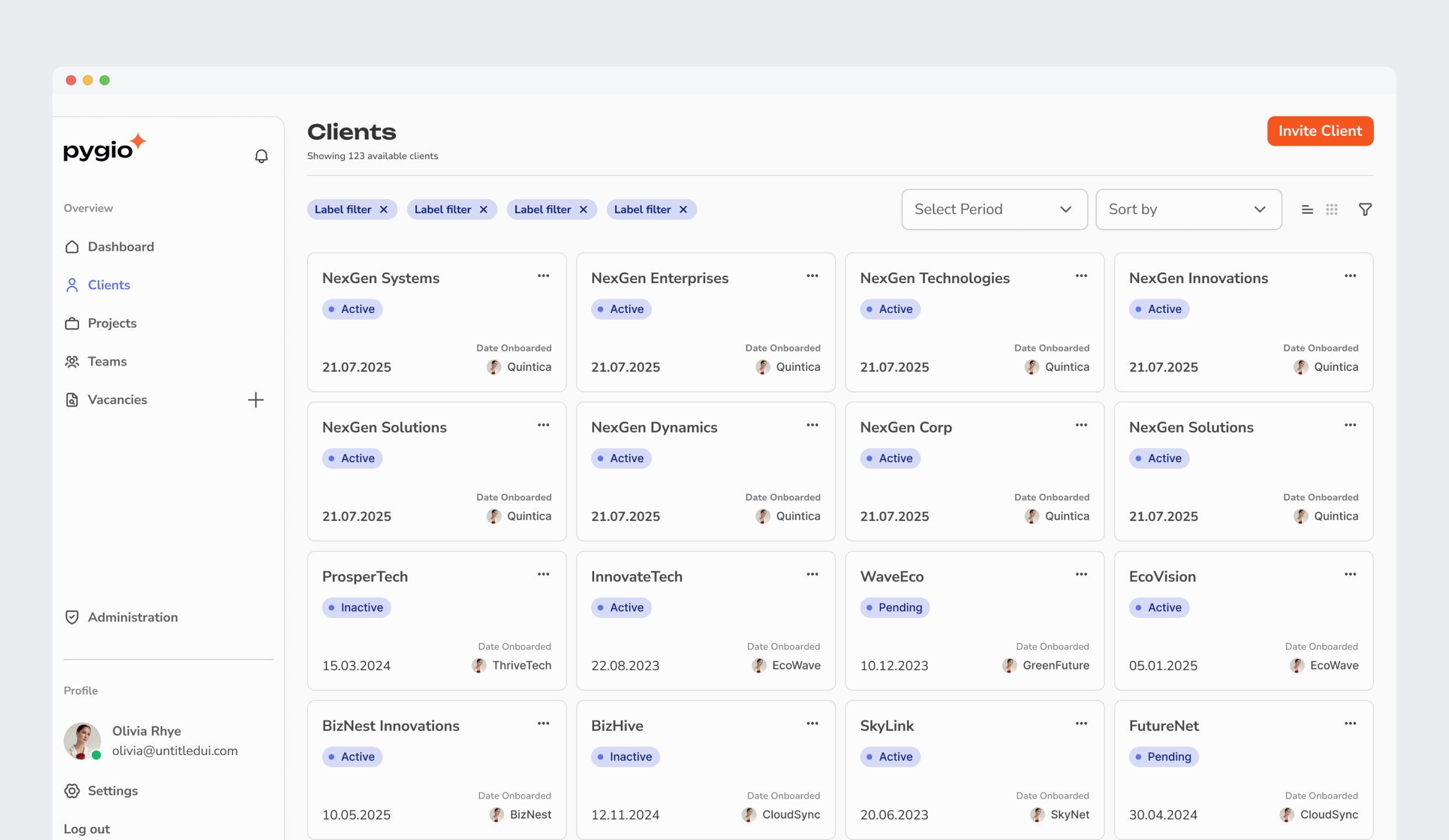
Client list with filtering and search. Individual client overview with project history and key contacts.
Project Management
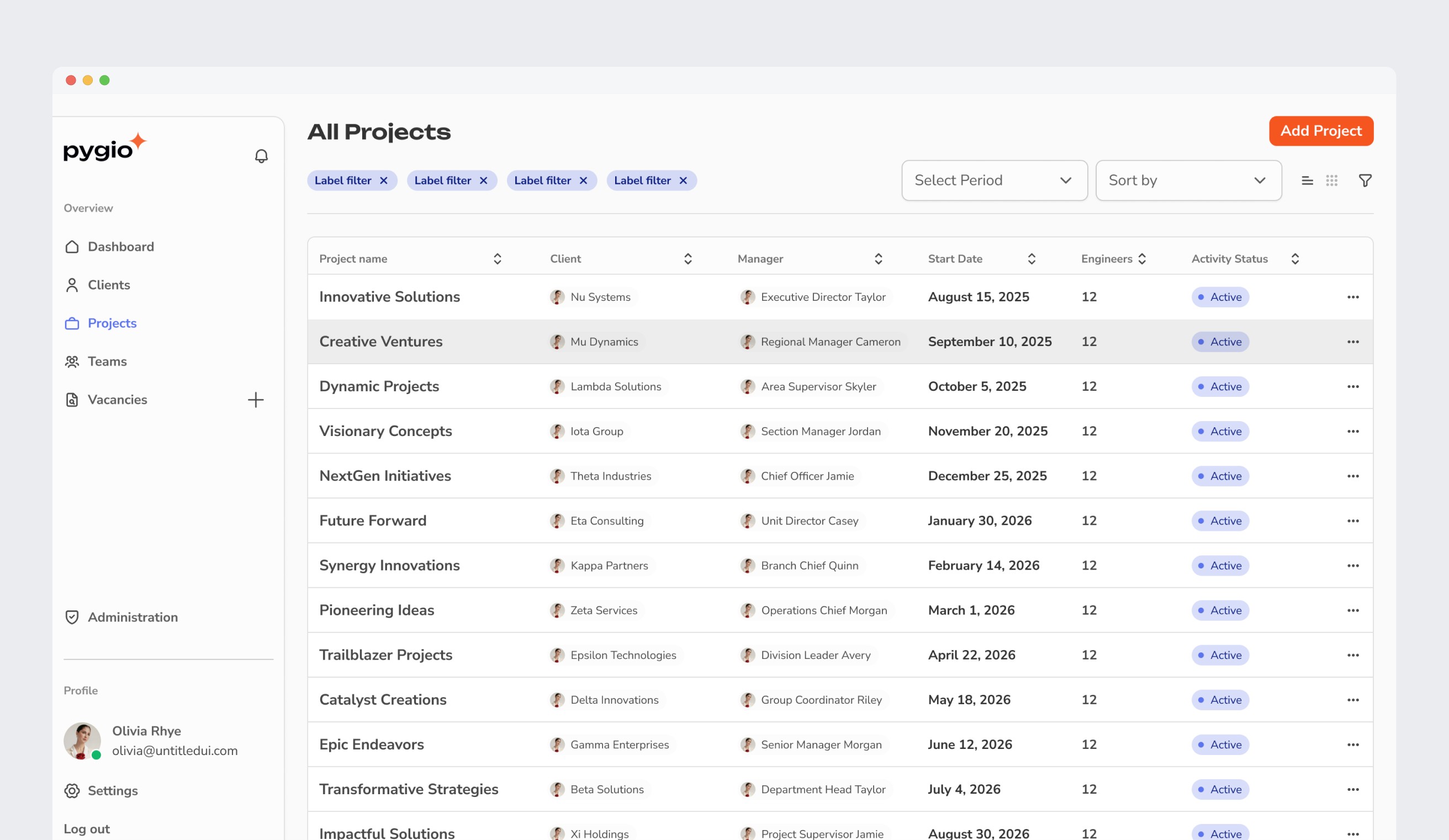
Project list with status indicators. Project overview with team composition, linked vacancies, and timeline.
Resource Management
Resource list showing availability. Individual resource profiles with skills, current assignment, and history.
Vacancy Management
Full lifecycle management of open positions from creation through assignment.
User Management
Internal team accounts, roles, and permissions.
Settings and role management
Profile and system configuration.
Outcome
The product shipped to production. The team moved from fragmented, manual tracking to a single operational interface — one place to manage clients, projects, people, and vacancies.
Without formal metrics in place, the impact was qualitative: the team had a tool they could actually use. The feedback from stakeholders confirmed the direction was right — the structure felt intuitive, and the interface matched the mental model of how consulting operations actually work.
7
Core product modules delivered
100%
Requirements from Jira covered in final design
20+
Unique screens across all flows
4
Months from brief to production-ready handoff


